


Want to know how to teleport in Hytale? Whether you’re trying to quickly teleport to a friend or you want to construct a sophisticated network of magical tunnels to get around your world, how you go about teleporting in Hytale differs depending on your objective. For those looking to play Adventure mode the way it was intended, we’ll show you how to teleport the old-fashioned way.
If teleporting to your Hytale friend – or having them teleport to you – in a pinch is what you’re looking to do, refer to our list of Hytale console commands. Don’t worry, we don’t consider this convenient trick a cheat unless you’re using it to zip out of danger and save your hard-earned inventory. Sick of swinging a sword all day long? Learn about how Hytale mana can have you lighting up caves (and goblins) with red-hot fireballs.

How to teleport in Hytale
You can craft a Teleporter using an Arcanist’s Workbench. Teleporters come in pairs, meaning you won’t have to procure too many Azure Logs and Azure Kelp to create a simple link.
Here’s what you need to craft a Teleporter in Hytale:
- 8x Azure Log
- 2x Azure Kelp
- 10x Stone (Any)
Any stone will do the trick, so it’s only those bluish botanical delights you’ll need to source from their respective biomes. Once you’ve crafted your first two Teleporters, go ahead and place one at your camp. Press “F” to interact with it and take note of its name. You can change it if you like; just remember what it’s called.
Next up, you need to place your second Teleporter at your secondary teleport destination. A good idea is to carry the second with you until you’re far enough from your base that you need a quick trip back and forth – deep in a cave you want to revisit (or quickly escape), for example.

When you’re ready, place the second Teleporter. Again, use “F” to interact with it. Select the name of the first Teleporter from the Target Warp menu and click “Save Changes” to complete the process. The portal should now be linked to the first, evidenced by the glowing portal within its archway. Magic.
Given you had no second Teleporter to target when you placed the first, this is a one-way trip. But that’s easily fixed; simply walk through your active second Teleporter, and you’ll arrive back at the first. Once there, repeat the process on the first Teleporter, this time selecting the name of the second Teleporter to link the two. Like before, the first archway should now begin to glow, signifying a working link between the two.
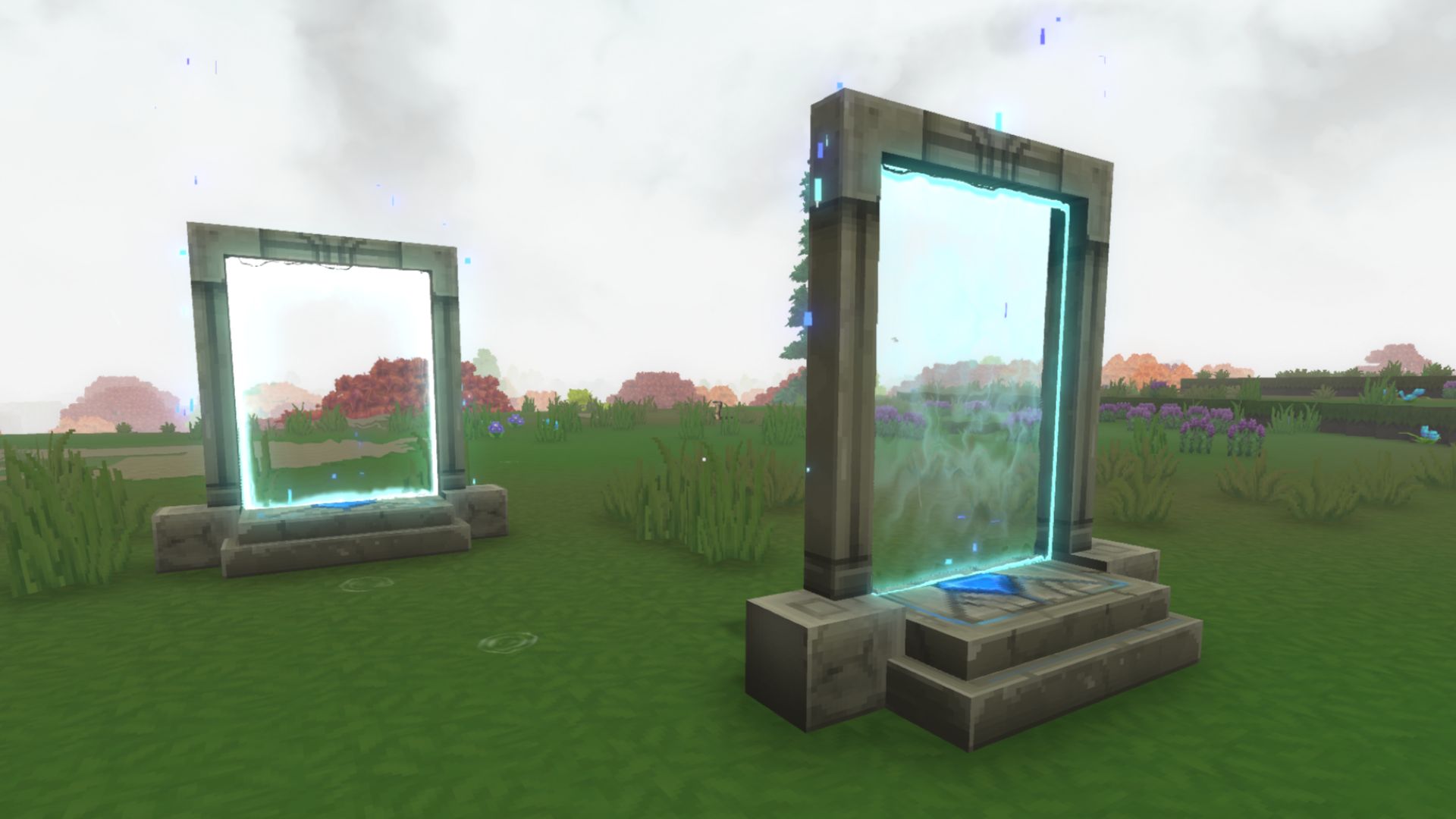
How to change teleporter locations
You’re free to change the target of any Teleporter whenever you want and without any item costs. This means you won’t have to worry about having ten different Teleporters back at your base, ready to whisk you away to ten different locations. Just interact with one, change the target to another, and step through.

What are the locked portal recipes in the Arcanist’s Workbench?
There are locked portal recipes hidden away in the Arcanist’s Workbench, revealing mysterious Ancient Gateways. To access them, you will need to find three fragments. Each fragment can be inserted into an Ancient Gateway to teleport you to a new and dangerous biome. Be careful out there.
If the easy Teleporter menus have you thinking about how you can make your own Hytale adventures for your friends, check out the latest Hytale mods for more inspiration. Wish you could carry a few more ores back to base? By learning how to increase inventory space in Hytale, you totally can!
- Security Camera Installation – indoor/outdoor IP CCTV systems & video analytics
- Access Control Installation – key card, fob, biometric & cloud‑based door entry
- Business Security Systems – integrated alarms, surveillance & access control
- Structured Cabling Services – voice, data & fiber infrastructure for new or existing builds
- Video Monitoring Services – 24/7 remote surveillance and analytics monitoring
Author: 360 Technology Group


